The editing guide for coaches, consultants & solopreneurs
Do your Reels look like phone videos? Here’s how to edit them so people keep watching.
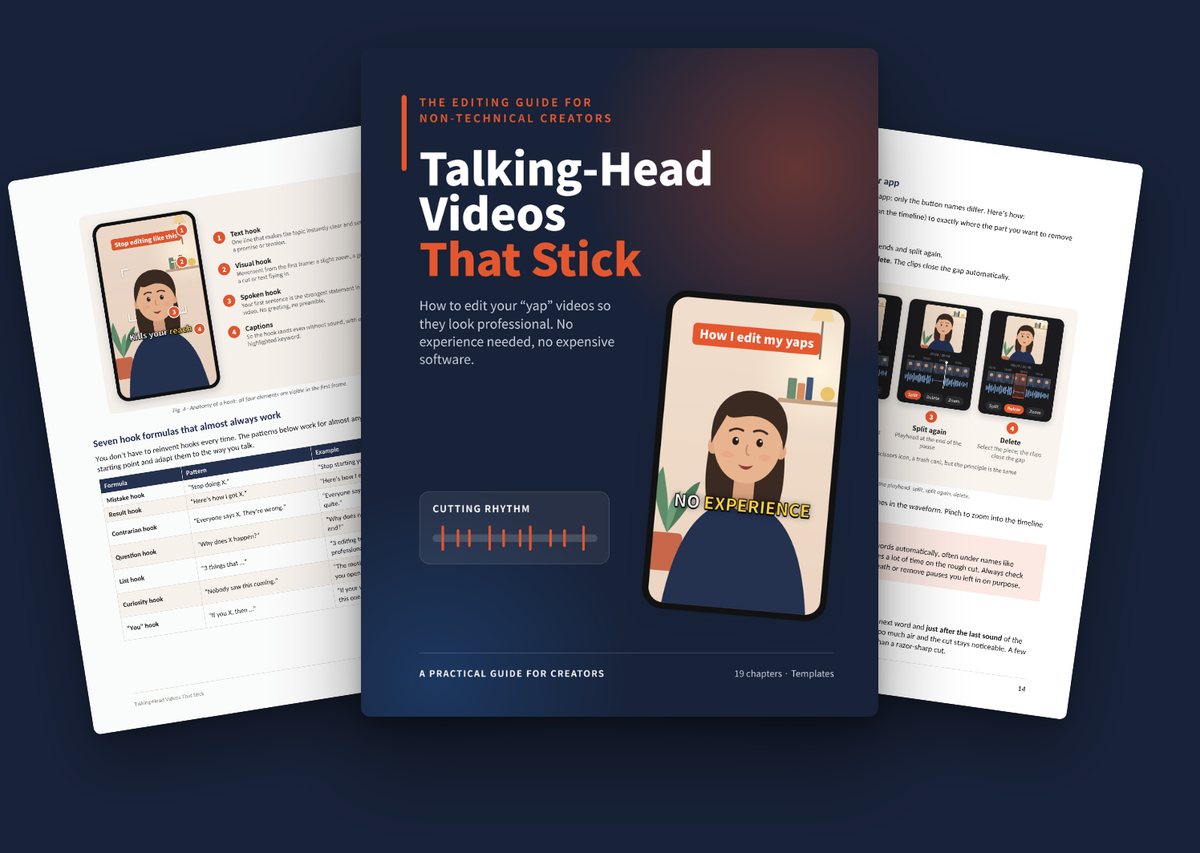
A 57-page practical guide that shows you, step by step, how to edit talking-head videos that look professional. No tech skills, no expensive software, just an app on your phone.
Sound familiar?
You have something to say. But your videos aren’t landing.
Gone in two seconds
You share something valuable, but most people swipe away before you get to the point.
An hour for 60 seconds
You spend forever on one Reel and still aren’t happy with it.
A hundred buttons, no plan
Your editing app can do everything. You just don’t know what actually matters.
Everyone else looks more polished
They say the same things you do, but their videos feel faster, clearer and more alive.
Every video is a project
Because it takes so much effort, you post less often than you want to.
The good news:
All of this is learnable. No film school required.
The truth about good videos
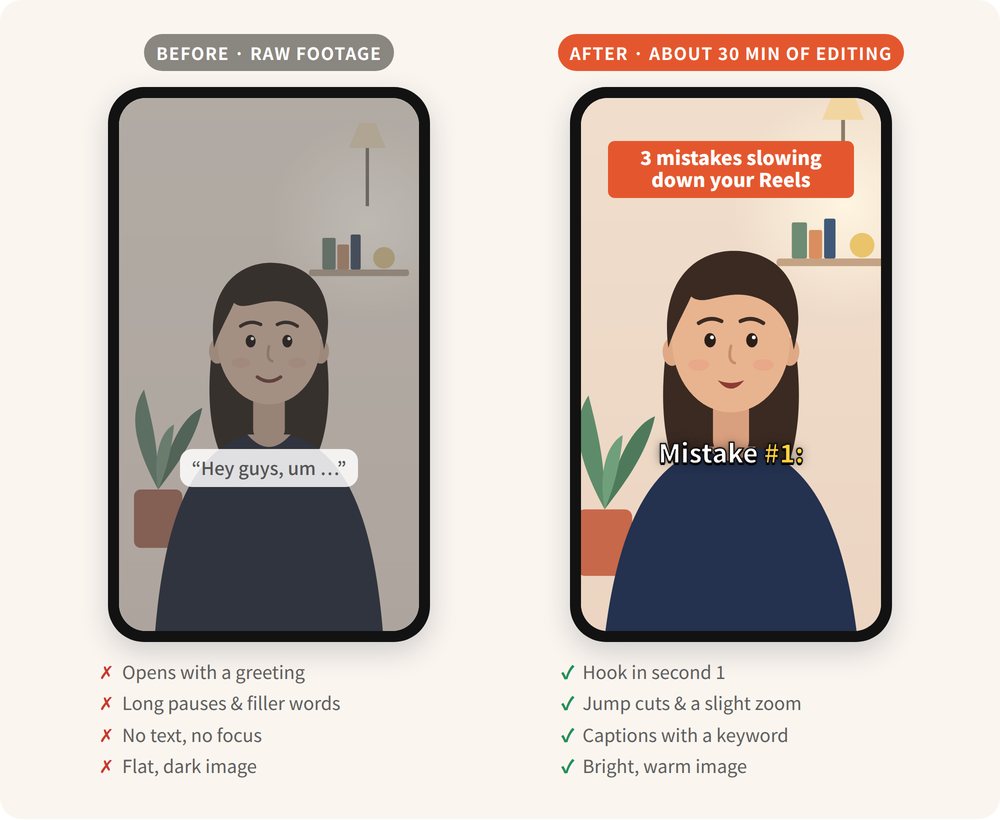
It’s almost never your content. It’s the edit.
Good editing doesn’t mean more effects. It means removing friction. The greeting that makes everyone swipe. The pause nobody needs. The caption nobody can read. The music that drowns out your voice.
None of that is about talent. It’s a handful of decisions. Once you understand them, every video you edit gets faster and better.
The guide
Talking-Head Videos That Stick
Not a course with 40 hours of video. A clear system in 57 pages that you can read in an afternoon and use on your very next video.
Part 1 · Foundations
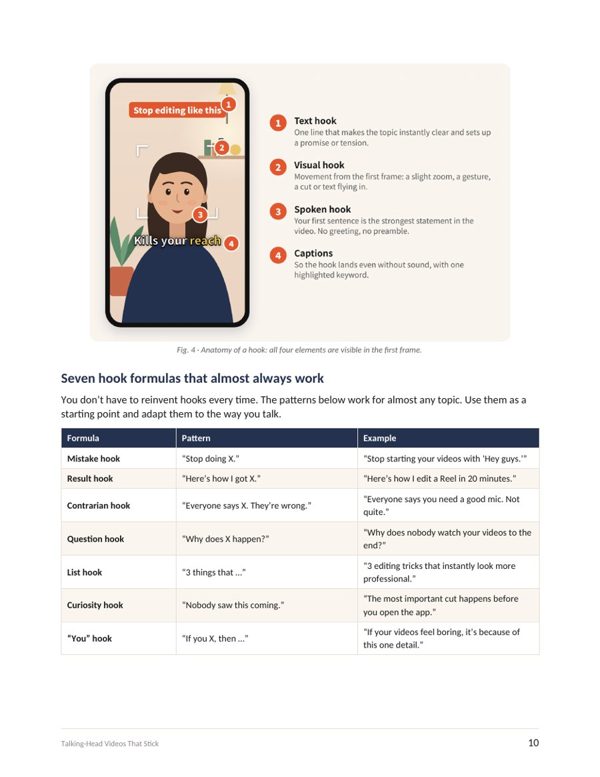
Why editing decides your reach, the five principles behind it, and the hook: seven formulas for the first three seconds.
Part 2 · Cutting & Rhythm
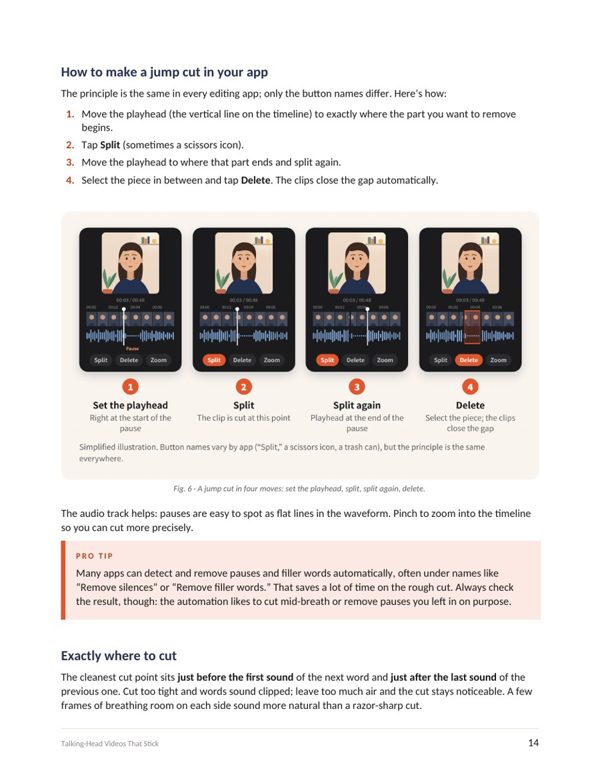
Jump cuts in four moves, the right pace for each platform, zoom levels and which pauses are worth keeping.
Part 3 · Text & Visuals
Captions people actually read, fonts and colors, safe zones, B-roll and a bright, warm look.
Part 4 · Sound
Mic and room, music and sound effects, and the levels that keep your voice on top.
Part 5 · Tools & Workflow
Which app fits you, your own template system and a six-step process for every video.
Part 6 · Getting Better
The twelve most common mistakes, reading your analytics and a four-week plan to get started.
Plus in the appendix: a complete example video with an edit plan · Bonus “Speaking naturally on camera” · Pre-posting checklist · Preset worksheet · Glossary
A look inside
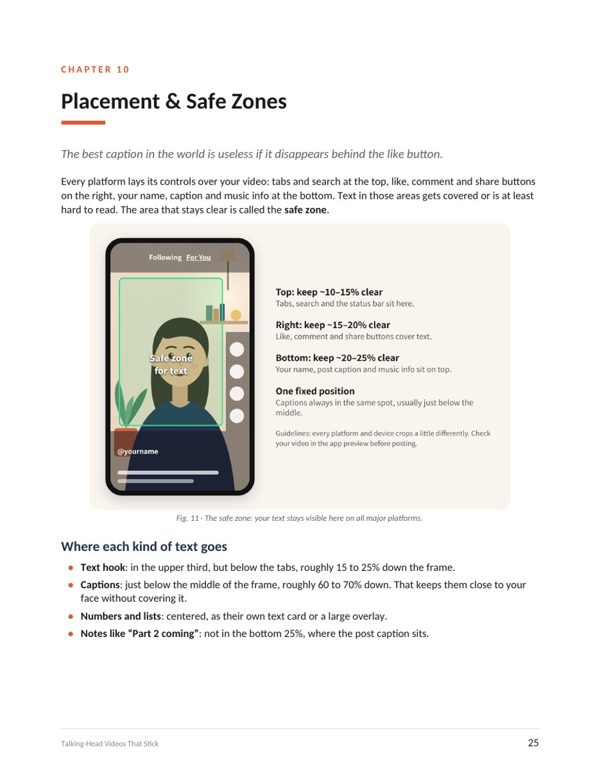
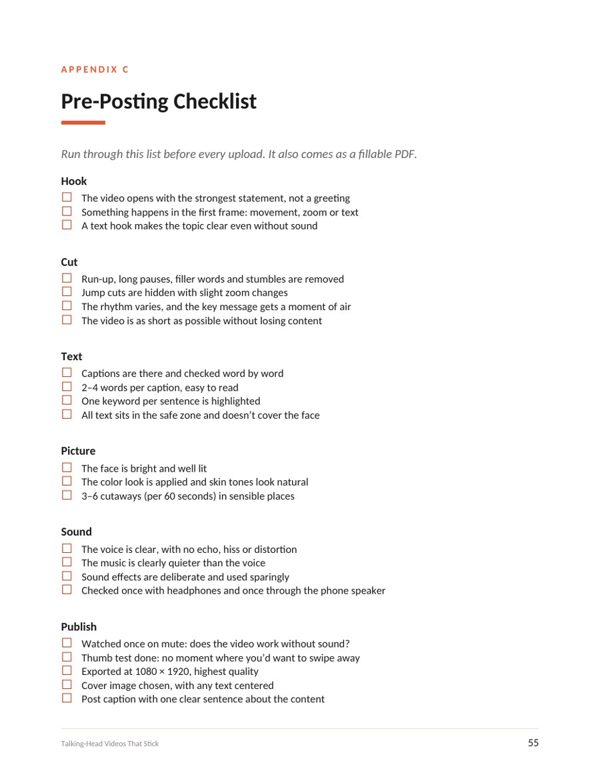
Here’s what it looks like
Clear graphics, short chapters and a quick recap at the end of every chapter.
Your results
After the guide, you’ll …
- know what the first three seconds need so people stay
- cut pauses, filler words and stumbles in minutes
- have captions that are big, readable and not hidden behind the like button
- have your own template system instead of starting from scratch every time
- follow a fixed process, with the goal of a 60-second video in under 40 minutes
- read your analytics and see exactly where your edit still drags
Bonus included
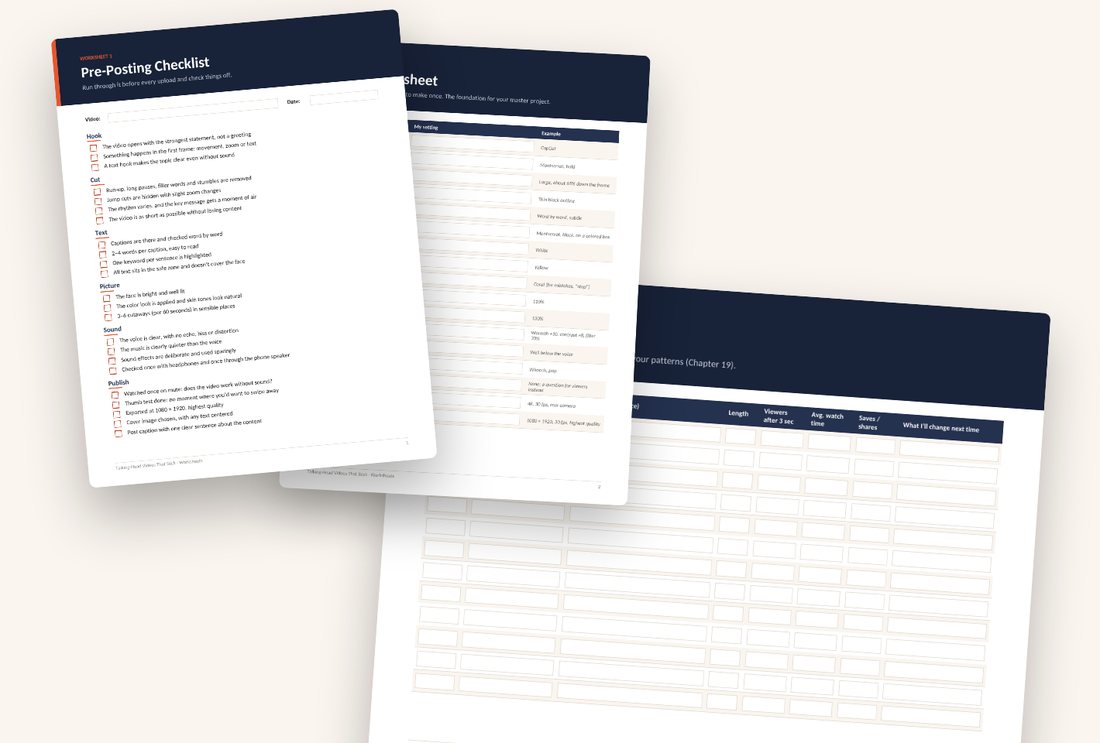
3 fillable worksheets
So you don’t just read the system, you use it. Fill them in on screen or print them out.
- Pre-posting checklist: 23 points to tick off
- Preset worksheet: all your style decisions in one place
- Video tracker: your numbers at a glance, video by video
Who it’s for
Is this guide for you?
Perfect for you if you …
- are a coach, consultant, trainer or solopreneur who wants (or needs) to make Reels, TikToks or Shorts
- have something to say on camera but feel unsure when editing
- want to work on your phone, not with pro software
- want one clear process instead of a hundred random tips
Probably not for you if you …
- already edit confidently in Premiere Pro or DaVinci Resolve
- want to learn cinematic effects, motion design or pro color grading
- are looking for a trick that guarantees viral videos without practice
FAQ
Frequently asked questions
Do I need any editing experience?
No. The guide is written for people who are comfortable on camera but aren’t editors. Every technical term is explained and also listed in the glossary.
Which app do I need?
Any common editing app on your phone will do. The guide compares popular apps like CapCut, Edits, VN and InShot. The principles work in all of them.
Does this work for Instagram, TikTok, YouTube Shorts and LinkedIn?
Yes. The guide shows how the platforms differ in pace, length and safe zones.
How do I get the guide?
Right after payment, Lemon Squeezy sends a download link by email. The guide and worksheets are PDF files.
Is this a video course?
No. It’s a PDF guide with graphics, checklists and worksheets. You read it at your own pace and come back to it whenever you need.
How quickly can I use it?
You can read the guide in an afternoon. The four-week plan then walks you step by step to your own process.
Can I read it on my phone?
Yes, the PDF works on any device. For the fillable worksheets, a PDF app like Adobe Acrobat Reader works best.
Will I get a receipt?
Yes. Lemon Squeezy emails a receipt and handles tax as the seller of record. Need the invoice on a company name? Add those details at checkout.
Your next video could be the first one people watch to the end.
You don’t have to apply everything at once. For your next video, focus only on the hook and the rough cut. You’ll notice the difference right away.